Garmin development setup on Linux
In the beginning
I was complaining about Apple Watch's battery life (it requires a daily charging session), so a friend recommended Garmin to me. And I'm hooked. My Garmin model lasts two weeks on a single charge, which is great because a nightly charging regimen can use one less device.
Trawling the web, I hear people mention on Bluesky that you can write your own Garmin app (which makes me hesitate less when hitting the purchase button, oops). Suffice to say I didn't wait long to get started with Garmin development.
Garmin development setup
Garmin has its own SDK, so you'll have to install it. On Mac OS, you can go through the installer. Install java on your machine and Monkey C extension on vscode, and you are ready to start.
On Linux, the SDK installer depends on outdated system libraries. If you're on Ubuntu 22, great. Otherwise it'll complain about missing libraries. Luckily there's an AppImage version. Follow the install script and you should be able to install Garmin SDK on your machine.
But since sometimes I use other IDEs, this is my build script:
java -Xms1g -Dfile.encoding=UTF-8 -Dapple.awt.UIElement=true \
  -jar "$(find ~/.Garmin/ConnectIQ/Sdks/ -name "monkeybrains.jar" | grep bin | tail -1)" \
  -o bin/garminanalogwatchface.prg \
  -f "$(pwd)/monkey.jungle" \
  -y ~/.Garmin/keys/developer_key \
  -d instincte45mm_sim -w
Notice the $(find ~/.Garmin/ConnectIQ/Sdks/ -name "monkeybrains.jar" | grep bin | tail -1), this is so it'll use the latest jar when building an app, otherwise the jar PATH has to be hard-coded.
The normal development process would be editing the code, build it, then test it on your device. The only way to push your app to Garmin during development (without going through Connect IQ store) is to manually copy it onto your device. Yes, this is a very time-consuming process.
There's a simulator, for which if you're on Mac OS, there's a menu for it in vscode, but no such luck on Linux.
The simulator binary is located at ~/.Garmin/ConnectIQ/Sdks/connectiq-sdk-xxxxx/bin/simulator, but you won't be able to run it because it depends on outdated system libraries. But the install script from earlier also provides a simulator binary in AppImage format.
You'll have to start the simulator, then build the app, and "push" your app to the simulator:
"$(find ~/.Garmin/ConnectIQ/Sdks/ -name "monkeydo" | grep bin | tail -1)" bin/garminanalogwatchface.prg instincte45mmBut to make my life easier, I setup flox to run a simulator process in the background:
[services]
simulator.command = "$(find ~/.Garmin/ConnectIQ/AppImages/ -name \"*Simulator*\" | tail -1)"
What I've built so far
garmin-todotxt
https://github.com/kahnwong/garmin-todotxt
I use todotxt and it would be nice to read todos on my watch.
garmin-weather
https://github.com/kahnwong/garmin-weather
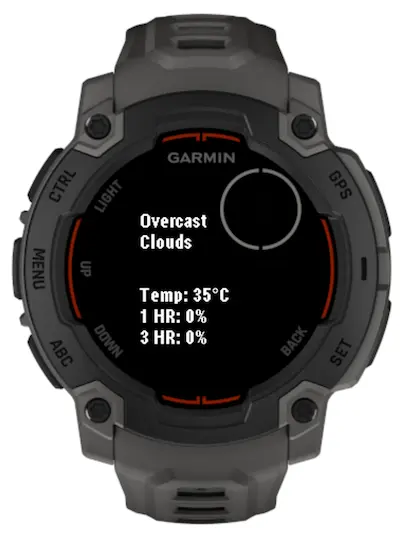
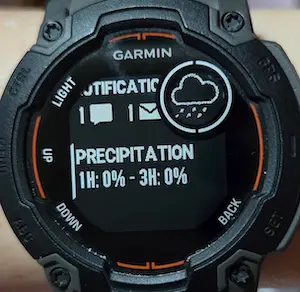
Garmin's weather data can be inaccurate, depending on the weather station it uses to obtain the data. Also to get the info I want, it involves multiple clicks. Yes, I'm very lazy.
That's current weather and rain probability in the next 1 and 3 hours.
garmin-qrcode
https://github.com/kahnwong/garmin-qrcode
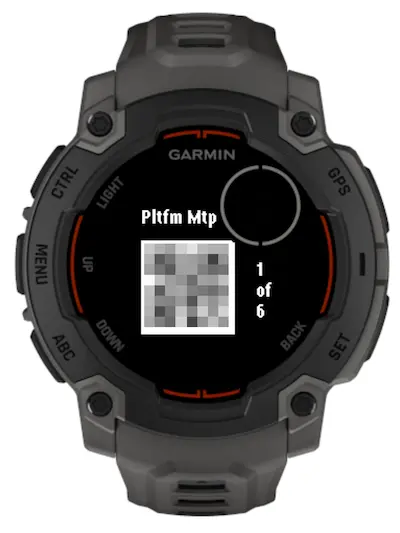
I got tired of constantly tapping my phone to stay awake when I attend events and need to scan the qr code for entry.
If you think I'm very lazy, you are correct. Guilty as charged.