Homelab virtual machine management gui roundup
Previously I talked about solutions for running virtual machines in a homelab, but aside from Proxmox, all solutions require using cli. While I like using cli, for a quick exploration or scratch environment, having access to gui would make things a lot easier.
Proxmox has everything already set up for you
Proxmox is popular for a reason, and that's because you can do everything through the web console. You don't have to touch cli at all. VNC and serial console are also available without extra configuration required, which makes the experience very smooth if you just want to spin up a (desktop) vm and call it a day.
It also provides monitoring out of the box, unlike some solutions where the metrics are exported, but for historical data you'll have to periodically scrape and store the data yourself - not to mention setting up a monitoring dashboard.
The cost is you'll have to dedicate a full node for Proxmox, and it writes a lot to disk, so you might want to make sure that you are using server-grade SSDs.
Nomad is still a cli-heavy solution
Nomad does have a web ui, but at most you can use it for start/stop/delete workloads. For adding workloads, you'll have to use cli - either apply directly via nomad cli or use tereraform. Upside is you can access the vm's serial console through the web ui, although there's no vnc access out of the box. Would not recommend using nomad if you are not comfortable with stitching QEMU / cloud-init and systemd incantations together.
For vm access through other machines, you can set up QEMU to use br0 network to assign DHCP IPs, or you can use nomad's built-in port mapping.
Fedora Cockpit is great, with a catch
Fedora Cockpit is a thin wrapper for server management, which you can access via a web console. Authentication uses linux user credentials. Cockpit is first and foremost a server management solution, but you can use it to manage QEMU VMs as well.
The glitch I ran into was that I couldn't find where to supply cloud-init config in the web ui. Also if you want to supply local images for bootstrapping your vm, you'll have to place it in the /var/lib/libvirt/images/, otherwise it'll result in permission issues. There are other weird permission issues as well if you are not running Cockpit on Fedora, but if you only use Cockpit for server management, things should be good. If you get it to work, it's amazing, and there's built-in vnc and serial console access.
Unfortunately if you want to map vm ssh port so you can access it from other machines, you'll have to write the iptables rules incantation yourself, or you'll have to connect the node to ethernet so it can use br0 interface to assign DHCP IPs. Watch out if you also have docker installed in the same node, because docker overwrites the iptables rules.
Incus is cli-oriented
If you're on Ubuntu, Incus is probably a better fit, downside is it's cli-oriented. There's a web ui, but to access it you'll need to set up a local certificate through the web ui wizard and install it on your browser, which is very convoluted for non-sysadmins. The rest is mostly similar with Cockpit for VMs management. It's very niche, might not be for everyone.
KubeVirt can be used with 3rd-party gui solutions
You'll need to set up a kubernetes cluster and install kubevirt, then set kubeconfig so you can interact with your kubernetes server.
OpenShift kubernetes distribution has a built-in dashboard which is very matured for kubevirt. You can install it on native kubernetes cluster, but to access the dashboard you'll have to create a service account and grant required permissions - which you'll have to see which permissions you need, otherwise the service account can do too much. This is important because too little permissions and you can't access the kubevirt section on the console - and the ui won't tell you which permissions are required. So unless you already use OpenShift, setting up OKD dashboard yourself might not be the most ideal.
But you can use Headlamp with a kubevirt plugin to manage kubevirt VMs. If you use a cloud console web ui to manage VMs before, it's like that - the whole bells and whistles. The only downside is you'll have to be comfortable with setting up a kubernetes cluster, but once you get past this you can use the kubevirt plugin via Headlamp to spin up VMs. VNC and serial console are available through the plugin as well. As for ssh port forwarding, it can utilize kubernetes' nodePort or other mechanisms you prefer.
Note that if you are running k3s, spinning up VMs through Headlamp's kubevirt plugin requires you to patch storageprofile, but you don't have to if you specify ReadWriteOnce through the yaml manifest.
kubectl patch storageprofile local-path --type=merge -p '{
  "spec": {
    "claimPropertySets": [
      {
        "accessModes": ["ReadWriteOnce"],
        "volumeMode": "Filesystem"
      }
    ]
  }
}'
Headlamp's KubeVirt plugin screenshots
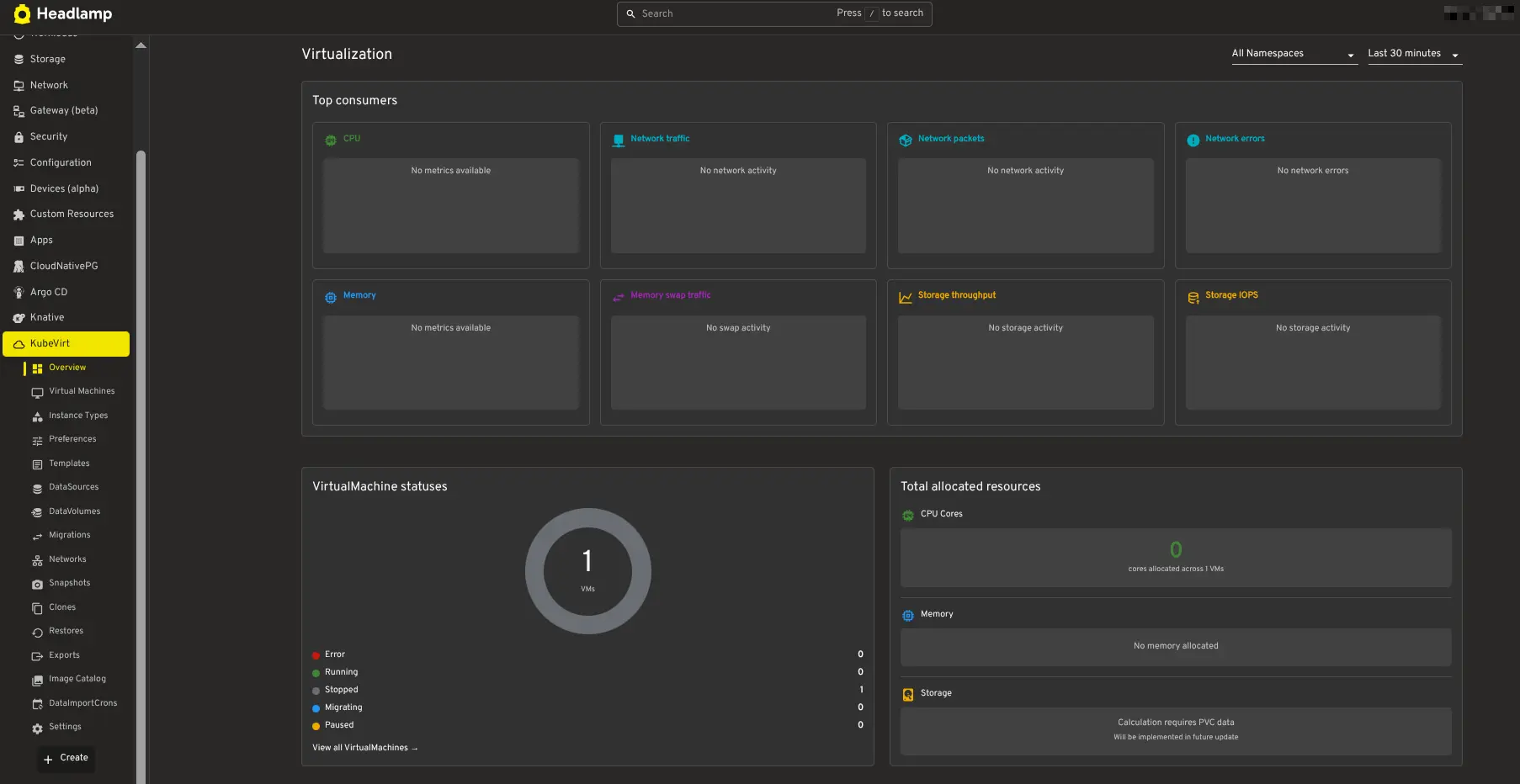

Notice the buttons for managing a virtual machine.
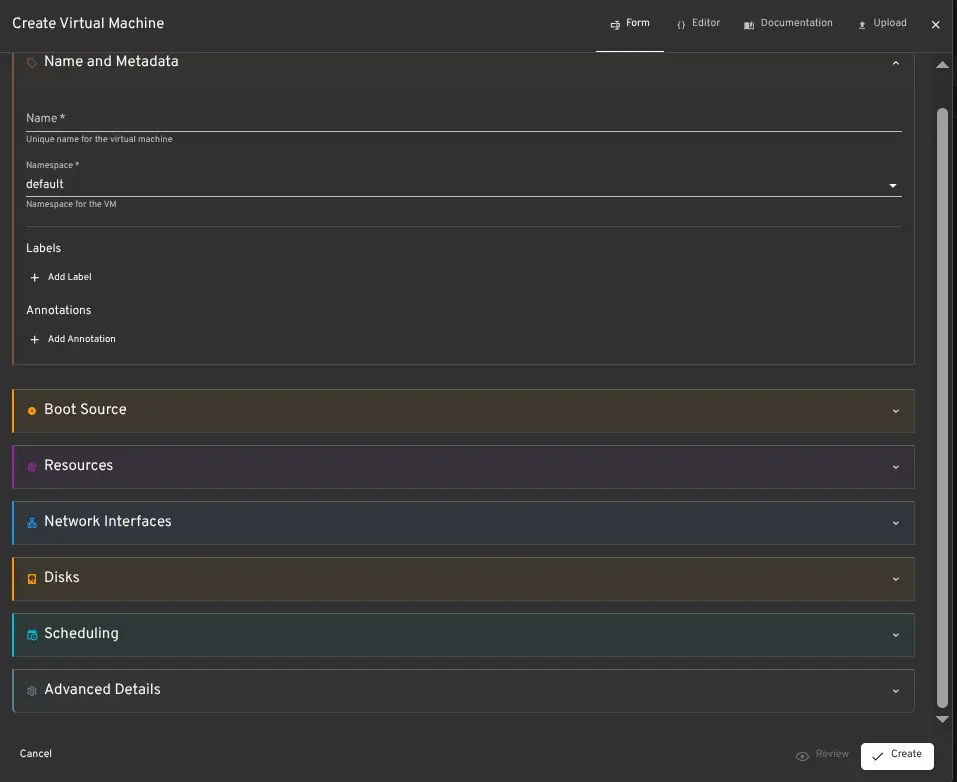
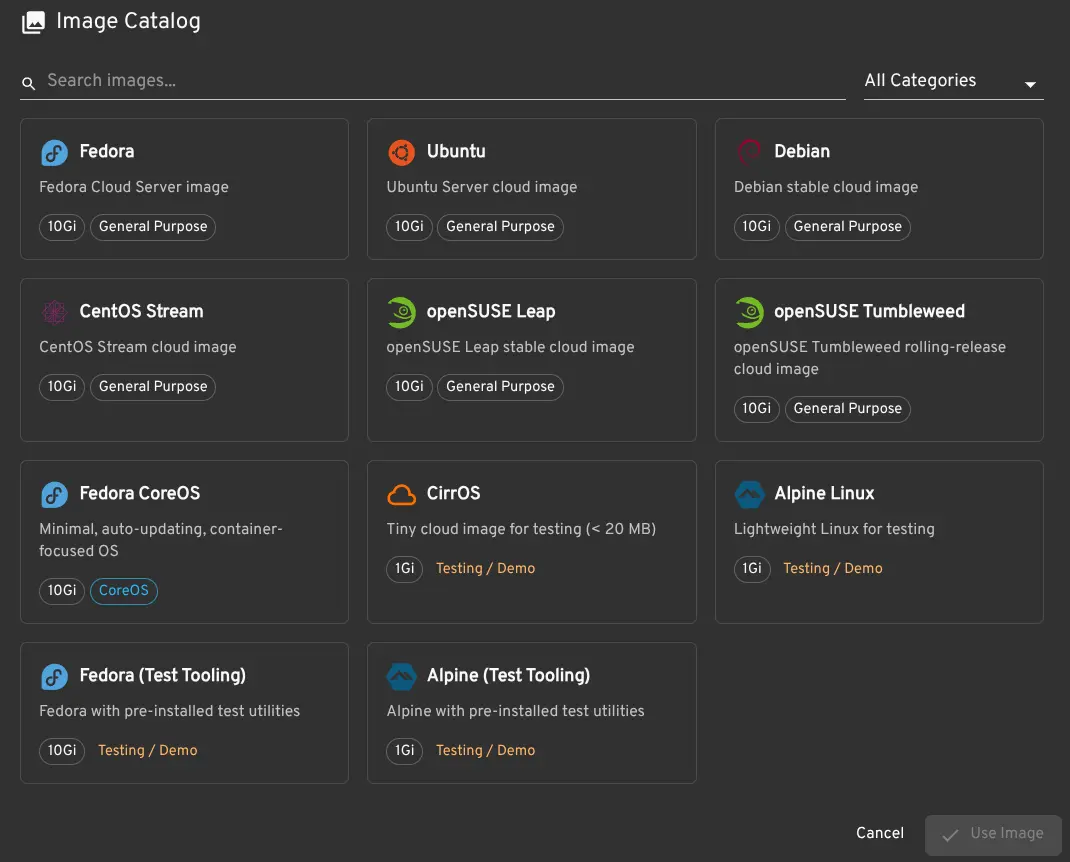
These solutions have varying requirements for using cli for bootstrapping. If you don't want to touch cli at all, go with Proxmox. Fedora Cockpit is also a good option, but there are some rough edges. If you are comfortable with setting up a kubernetes cluster, kubevirt is also viable - but I would not recommend if you don't understand the basics of kubernetes.